You can add new items to your online booking page by following the instructions below. Keep in mind all online booking items are created and stored in your price List.
1) First, navigate to the Price-List section by clicking on the More icon located in the top navigation bar, then choose Price List from menu.
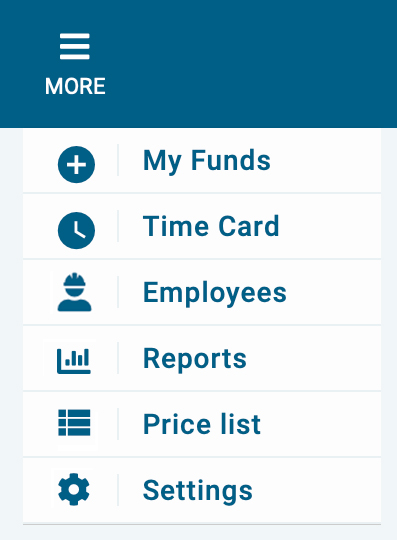
2) Next, click on the + button in the upper right corner of the item section.
3) Now, add all the information about the item including the price, description, and photo, etc. Next, select the category associated with the items. You can add a new category by clicking the plus button to the right of the category.
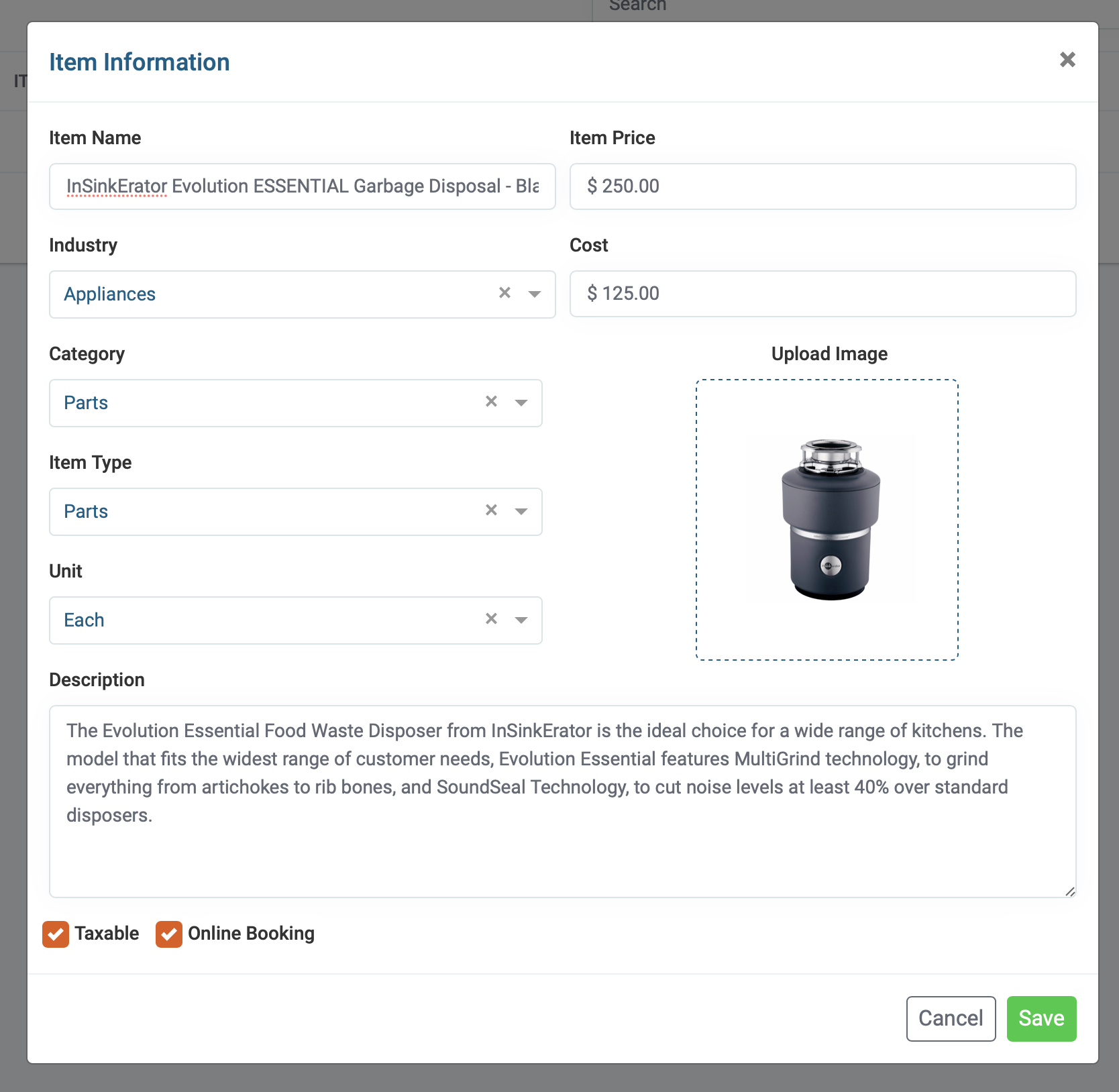
4) Check the “Taxable” box if the item is taxable.

5) Check the “Online booking” box if you want this item to appear on your online booking page.