
Online-Booking is a fantastic tool to help your business grow. 65% of consumers now prefer to book service online, and those numbers are growing.
Step By Step Guide
1) Start by navigating to the Online Bookings section by clicking on the add-ons icon in the top navigation.
2) Next, click online booking. Online booking is available on the Grow-Plan, upgrade if needed.
3) Enable toggle to activate.
4) Next, click on the setting tabs
5) Now choose how soon a customer can book a service with you. The options are the Same day, Next day, Three days, and One week.
6) Away mode is used to turn off online-booking during holidays or vacations.
7) The next step is to choose how many bookings you can allow per time slot. This depends upon the number of employees that you have. Choose a number from 1 to 5
8) Do you have a minimum dollar amount required to book a job? If so, choose the dollar amount that works best for you.
9) In the next section, you have to set your online booking hours for the week. You can choose multiple slots for a single day by clicking on the plus sign in front of the first slot. Also, you can turn days on or off by clicking on the On/Off toggle.
10) Save your setting by clicking on the Save button at the bottom of the page.
11) Next, select the service area tab located in the upper left corner.
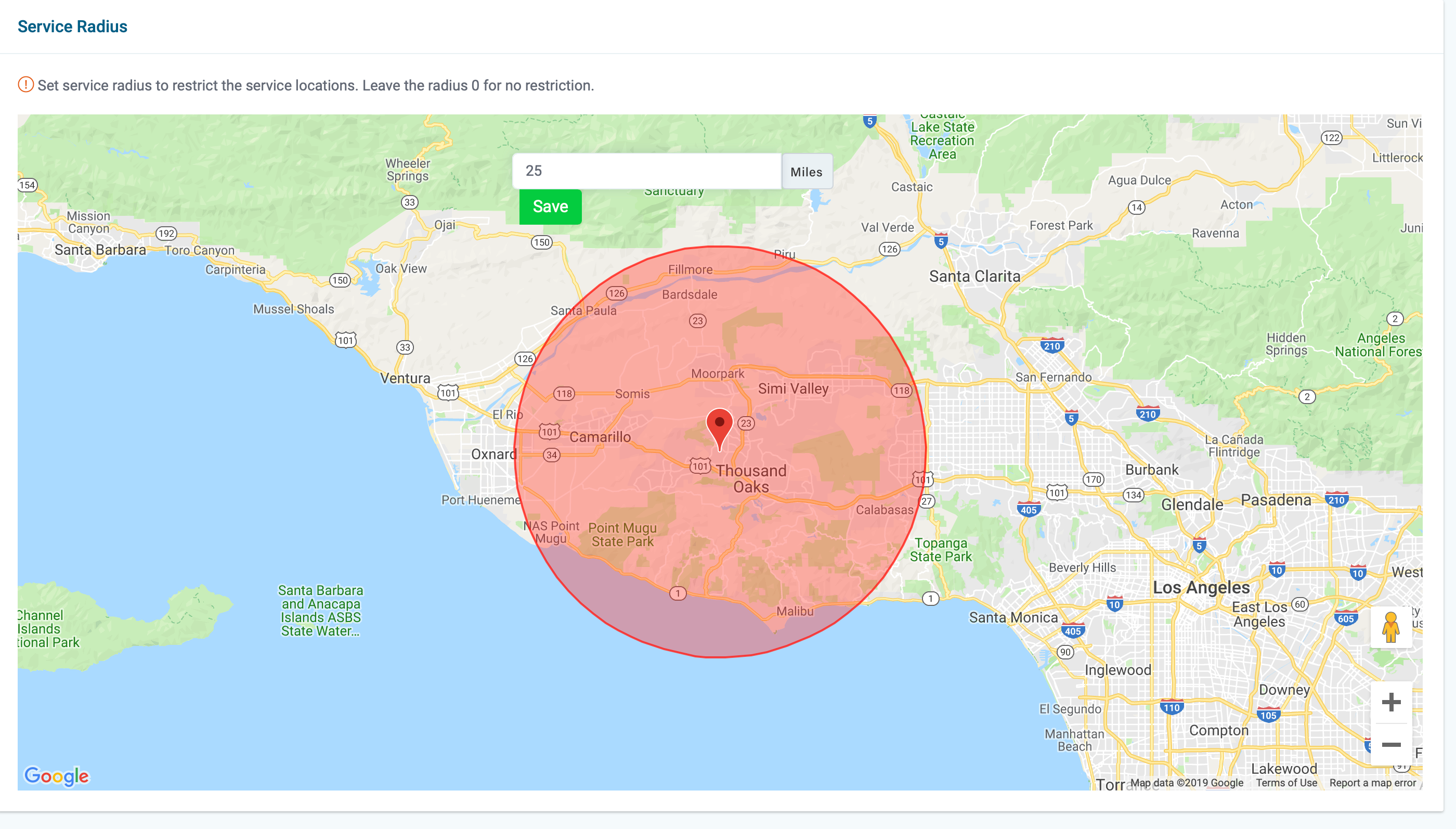
12) Next, you have the option to limit your service radius to prevent people from booking jobs, that are geographically undesirable. The area in red is bookable everything outside of the red will be restricted. Click Save when you're finished.
13) Next, if you click on the integration tab, you will find the link code for your online booking page. You can link to your online booking page from your website, Facebook page, Craigslist ads, and more. 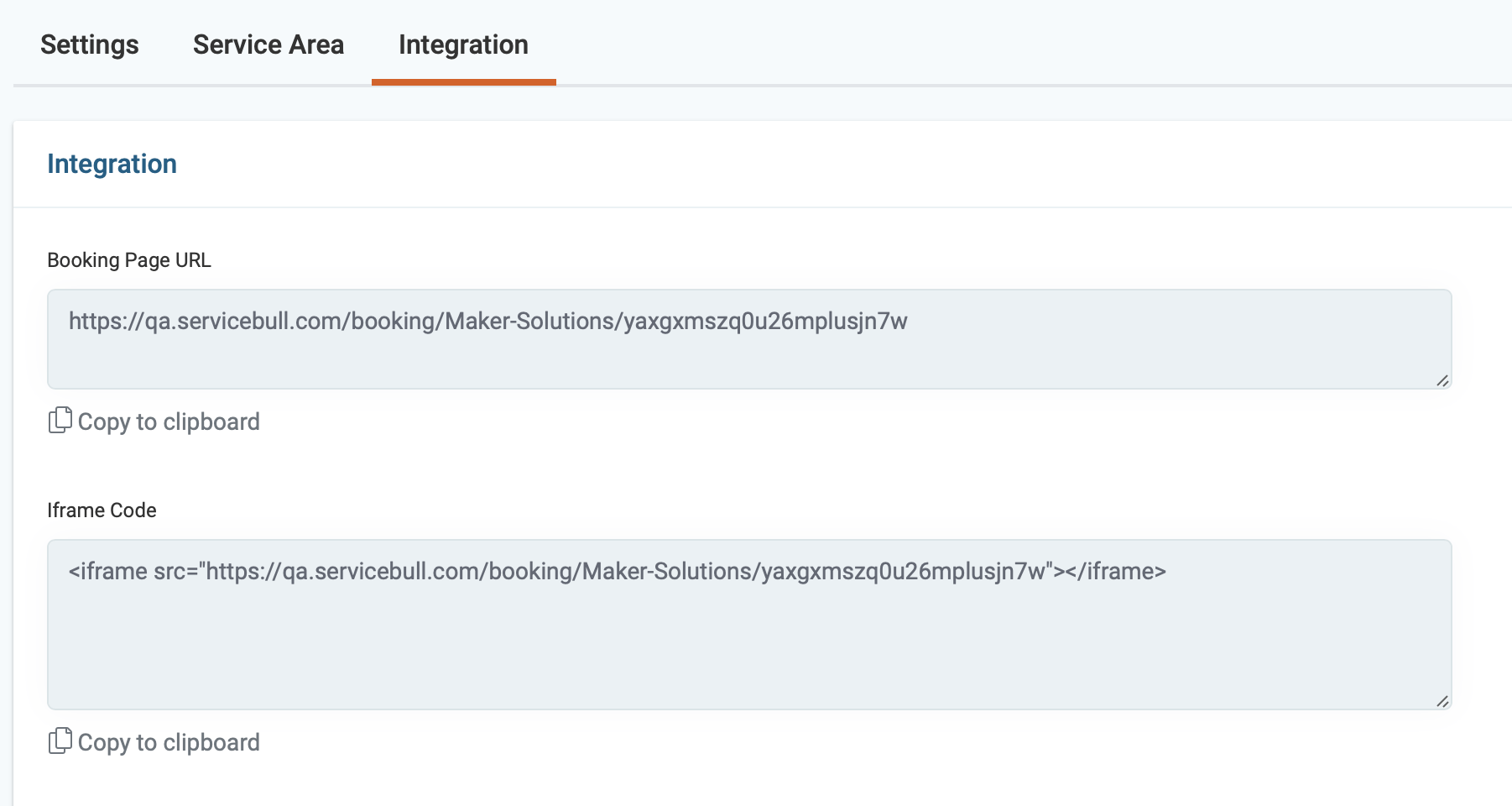
14) In the top right corner, you can access your online-booking page by clicking on the eyeball icons. You can also access your price book by clicking on the book icon.
15) Finally, you can now add items to your online booking page by reading the article labeled: Add Online-booking Items.