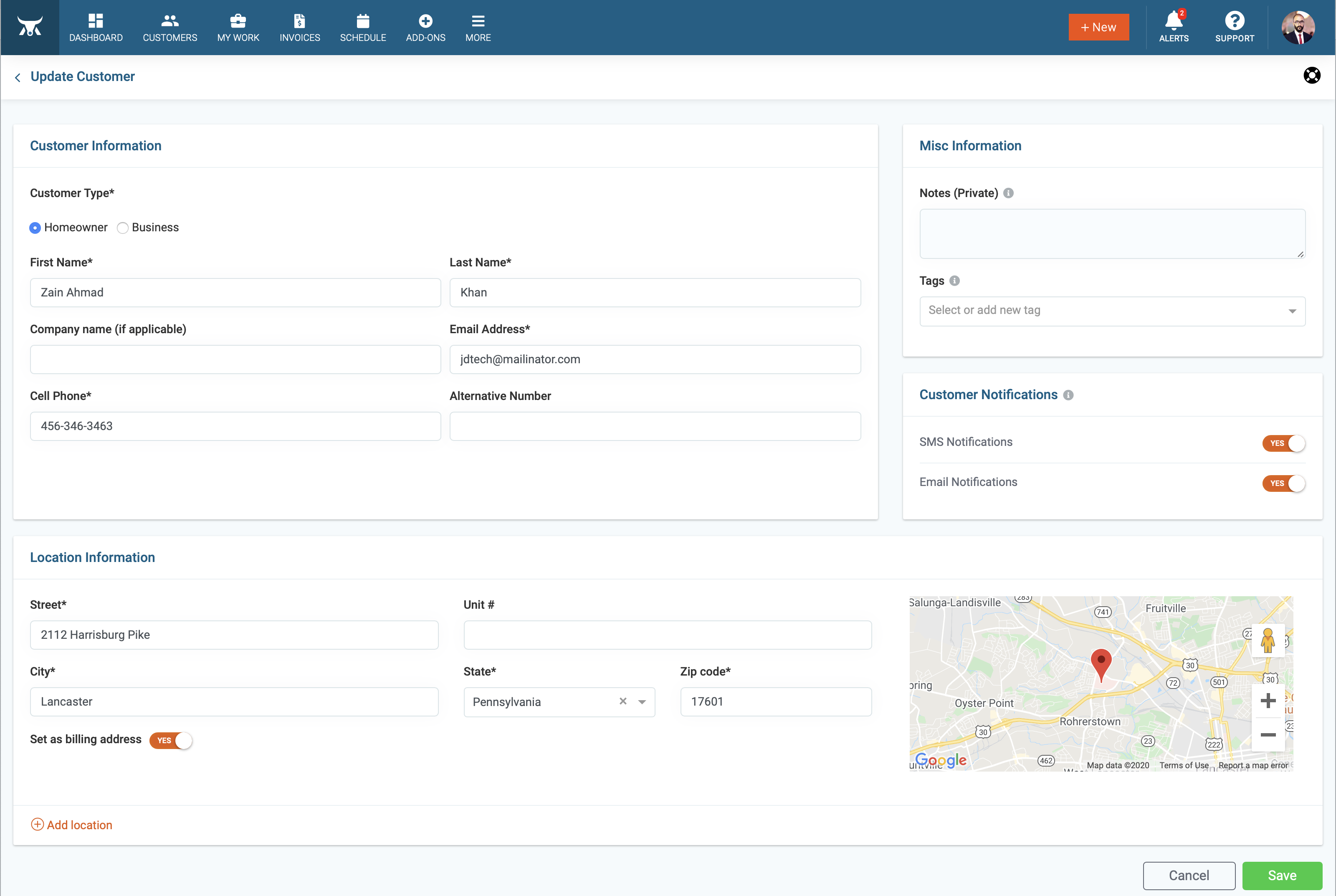
You can edit your customer's information quickly by following the instruction below.
Step By Step Guide
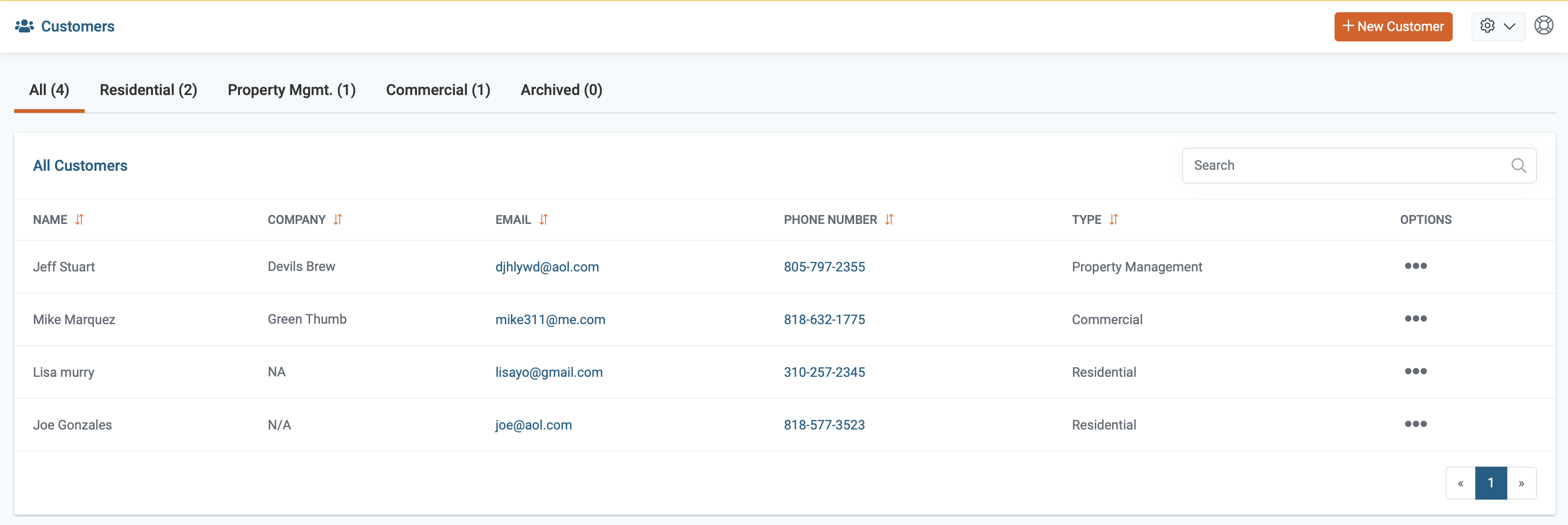
1) First, select the Customer Icon, located in the top navigation bar.

2) The list of all your customers is displayed on the page.
3) Locate the customer and click on the three dots to the right of there name, then choose Edit from the drop-down menu.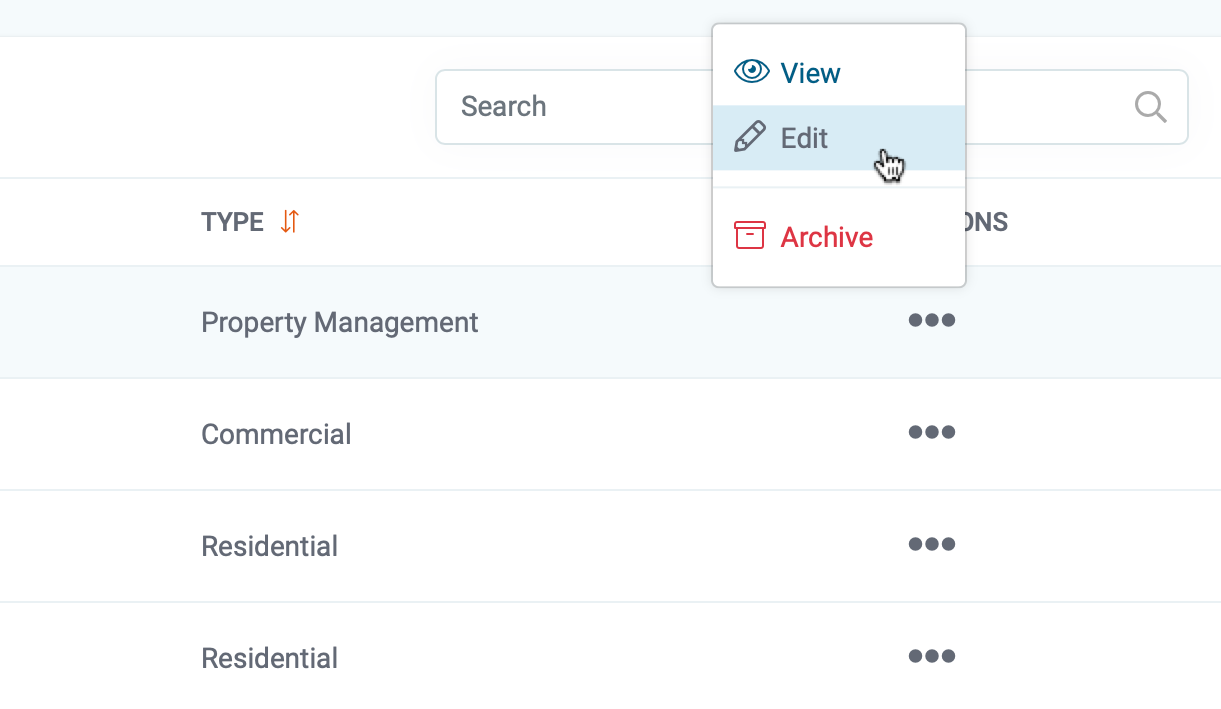
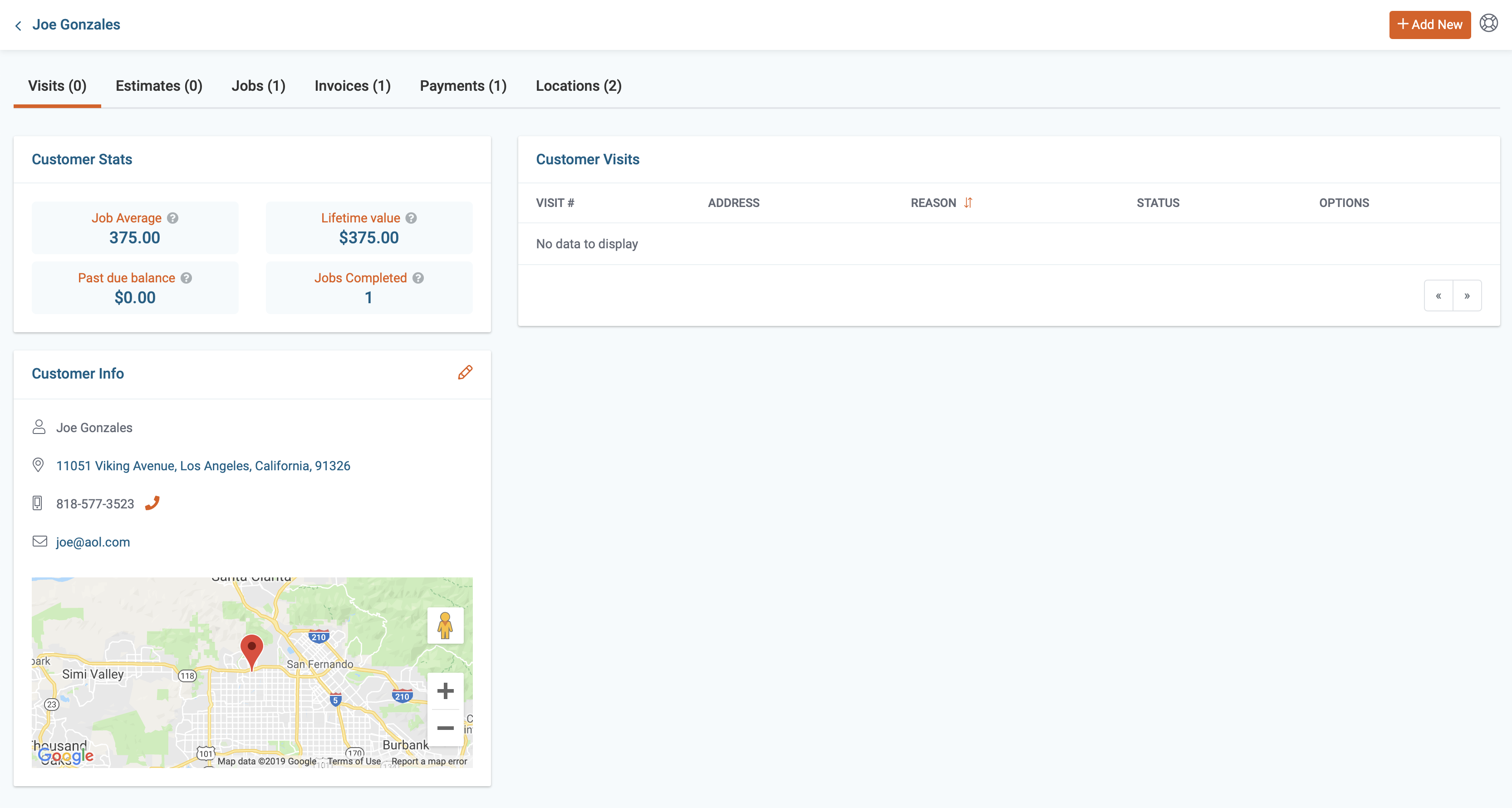
4) Next, click on the pencil icon located in the customer info section.
5) Now, you can make the necessary changes, click the save button located in the bottom right corner when you're finished.