
Step By Step Guide
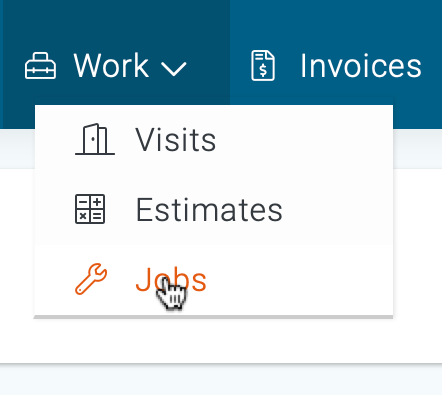
1) To archive, a job, start by navigating to the job section. To do so, click on the work icon located in the top navigation bar, then choose jobs from the drop-down menu.
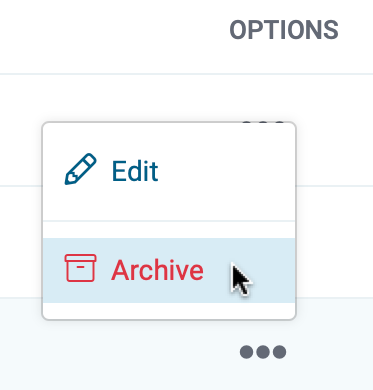
2) Next, search and locate the specific job that you intend to archive and click the three dots located under the heading of “Options”, then choose the Archive from the menu.
3) Next, confirm your request by clicking the archive button.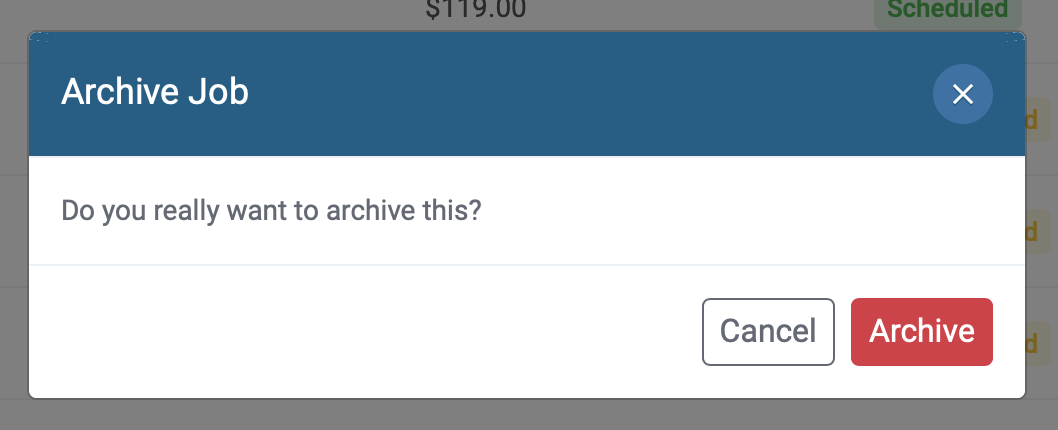
4) The Job is now archived, and available under the archive tab in the Jobs section.